阿里云百炼:https://bailian.console.aliyun.com/
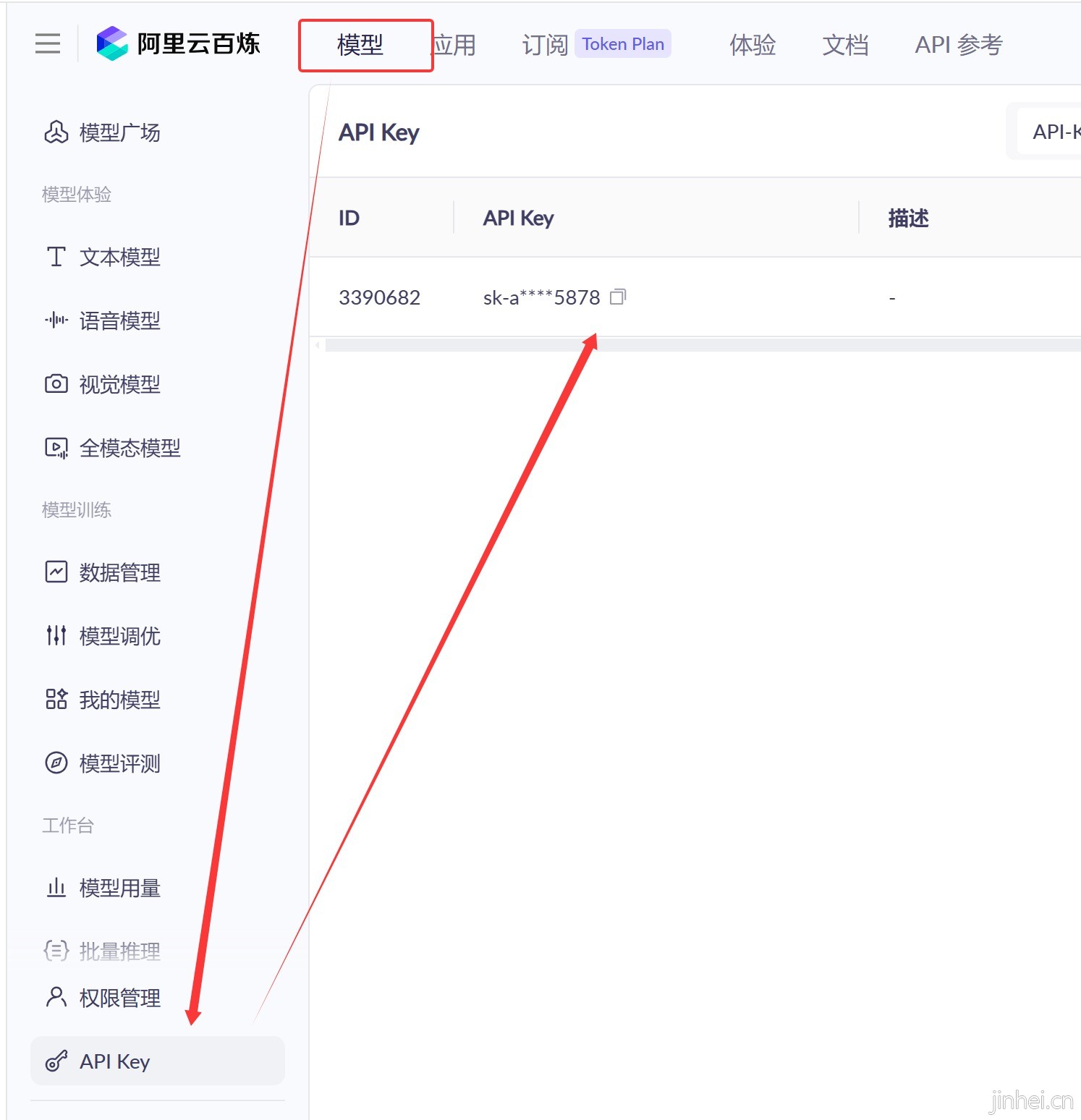
拿到API-KEY:https://bailian.console.aliyun.com/cn-beijing?tab=model#/api-key
1,模型链接https://bailian.console.aliyun.c ... e=model&url=2840915
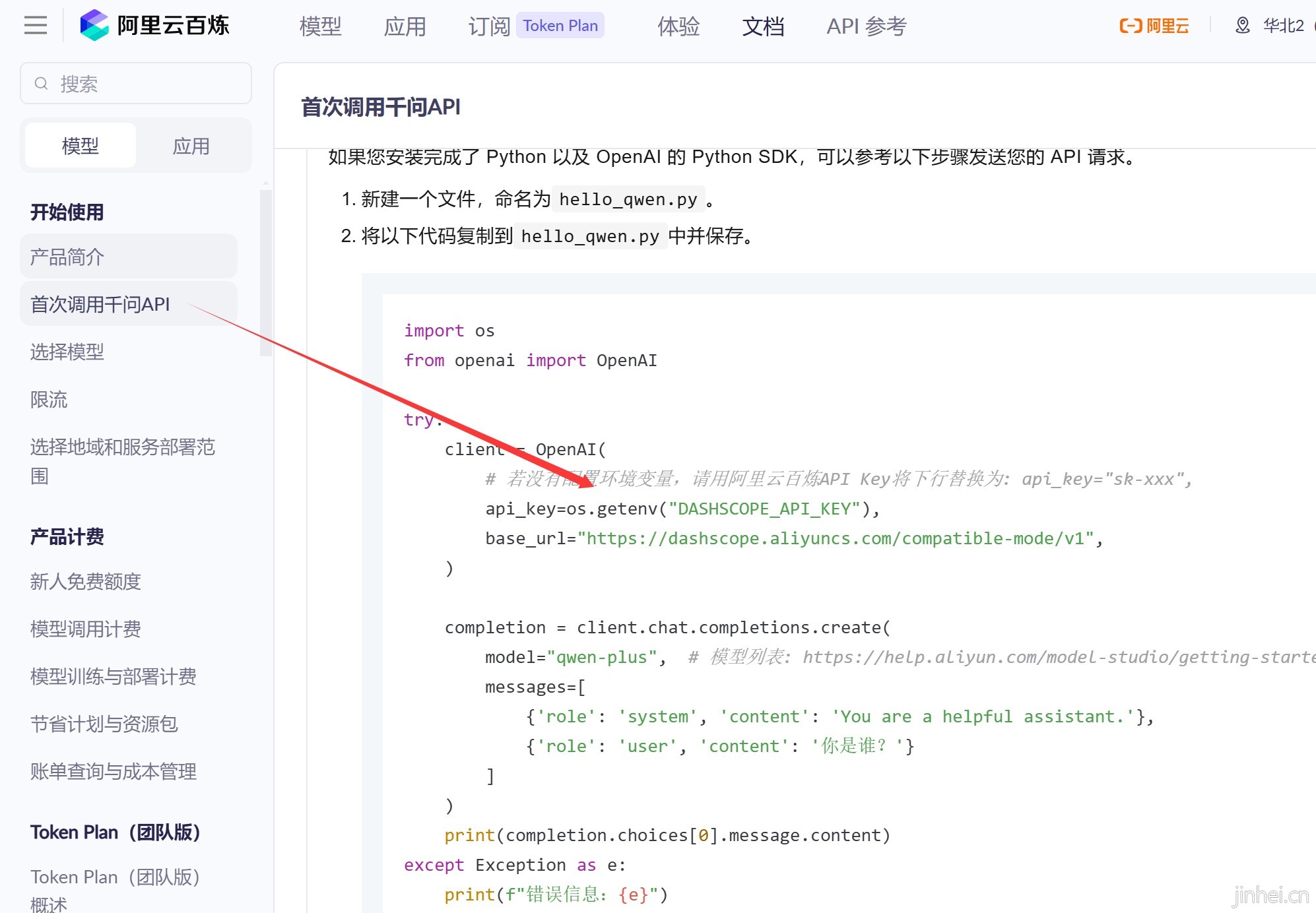
2,模型选中:https://bailian.console.aliyun.c ... e=model&url=2840914
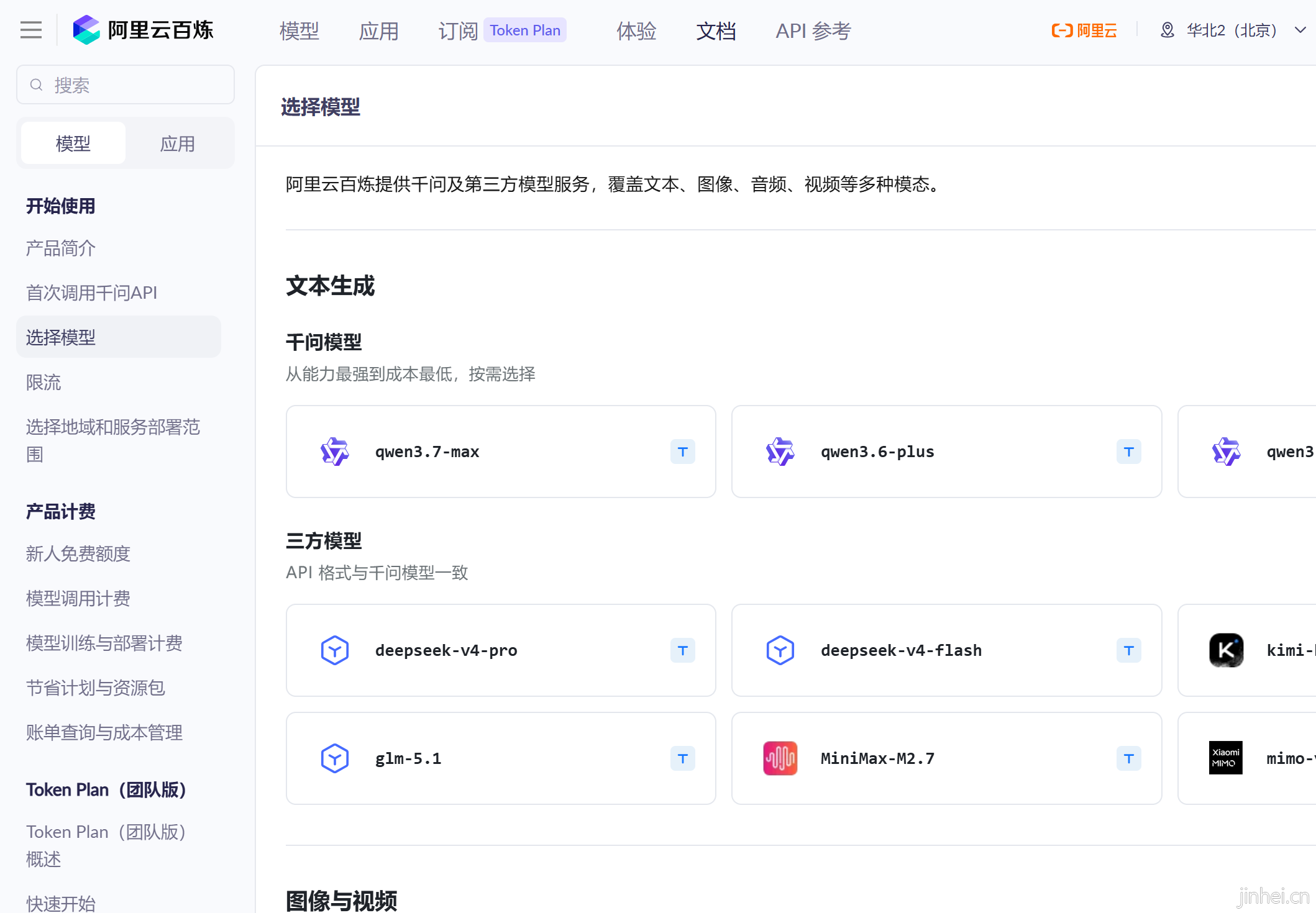
3,安装依赖:
3.1 如果安装这个依赖那么只支持阿里云
- <dependency>
- <groupId>com.alibaba</groupId>
- <artifactId>dashscope-sdk-java</artifactId>
- <!-- 请将 'the-latest-version' 替换为最新版本号:https://mvnrepository.com/artifact/com.alibaba/dashscope-sdk-java -->
- <version>the-latest-version</version>
- </dependency>
3.2 如果按照下面依赖就可以通用:
- <dependencies>
- <!-- Open AI Java 客户端库 -->
- <dependency>
- <groupId>com.openai</groupId>
- <artifactId>openai-java</artifactId>
- <version>4.30.0</version>
- </dependency>
- </dependencies>
4,实操案例:
4.1创建AiConfig配置类:
- package com.jinhei;
-
- /**
- * AI 配置类 - 用于存储连接AI服务所需的配置信息
- */
- public class AiConfig {
- /**
- * API密钥
- */
- public static final String API_KEY = "sk-a6bb7bb64xxxxxxxxx";
-
- /**
- * 服务地址
- */
- public static final String BASE_URL = "https://dashscope.aliyuncs.com/compatible-mode/v1";
-
- /**
- * AI模型名称
- */
- public static final String LLM_NAME = "qwen3.7-plus";
- }
4.2调用大模型:
- package com.jinhei;
-
- import com.openai.client.OpenAIClient;
- import com.openai.client.okhttp.OpenAIOkHttpClient;
- import com.openai.models.chat.completions.ChatCompletion;
- import com.openai.models.chat.completions.ChatCompletionCreateParams;
-
- public class AiChat {
- public static void main(String[] args) {
- // 第1步:创建AI客户端,创建与AI服务的链接通道
- OpenAIClient aiClient = OpenAIOkHttpClient.builder()
- .apiKey(AiConfig.API_KEY) // 设置API密钥
- .baseUrl(AiConfig.BASE_URL) // 设置API地址
- .build();// 建造完成后,创建客户端
- // 第2步:准备要问的问题
- String prompt = "你是谁";
- // 第3步:ChatCompletionCreateParams对象,并设置参数,把问题打包成AI能理解的格式
- ChatCompletionCreateParams params = ChatCompletionCreateParams.builder()
- .addUserMessage(prompt) //添加用户消息: 你说的话
- .model(AiConfig.LLM_NAME) //指定用哪个AI大模型来处理
- .build();//打包完成 - 准备发送
-
- //第4步: 发送请求并获取回复 - 把信寄出去, 等待回信
- ChatCompletion chatCompletion = aiClient.chat() //打开聊天功能
- .completions() //开启补全模式(AI回复)
- .create(params); //发送请求并等待响应
- // System.out.println(chatCompletion);
- // ChatCompletion{id=chatcmpl-e8e30a20-2cb3-90ab-ab05-34916c600954,
- // choices=[Choice{finishReason=stop, index=0, logprobs=,
- // message=ChatCompletionMessage{content=我是通义千问(Qwen),是由阿里巴巴集团通义实验室自主研发的大语言模型。
- // 作为一个人工智能,我致力于成为你的思考伙伴,为你提供清晰、准确、有帮助的回答。有什么我可以帮你的吗?,
- // refusal=, role=assistant, annotations=, audio=, functionCall=, toolCalls=, additionalProperties={reasoning_content=用户问我“你是谁”。
- // 我需要回答我是通义千问(Qwen),由阿里巴巴集团通义实验室自主研发的大语言模型。
- // 第5步: 提取AI的会多发 - 拆开回信, 取出内容
- String message = chatCompletion.choices().get(0).message().content().get();
- //第6步: 显示结果
- System.out.println(message);
- }
- }
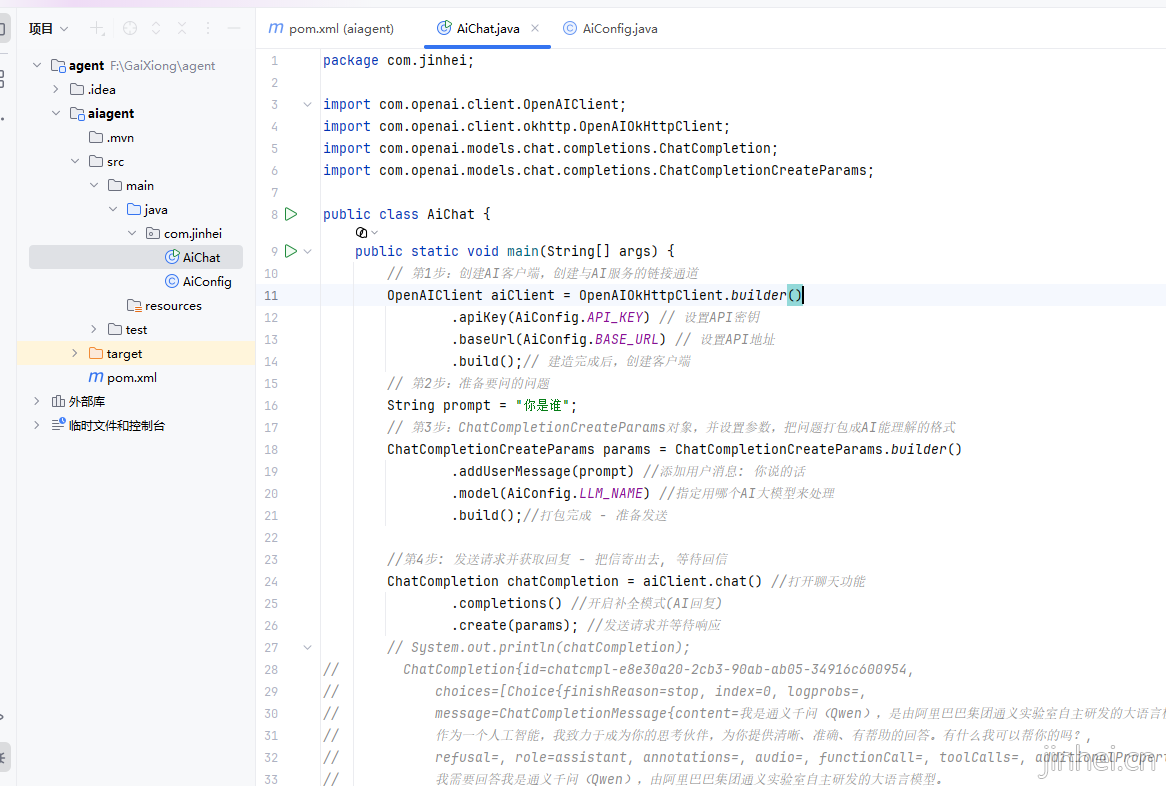
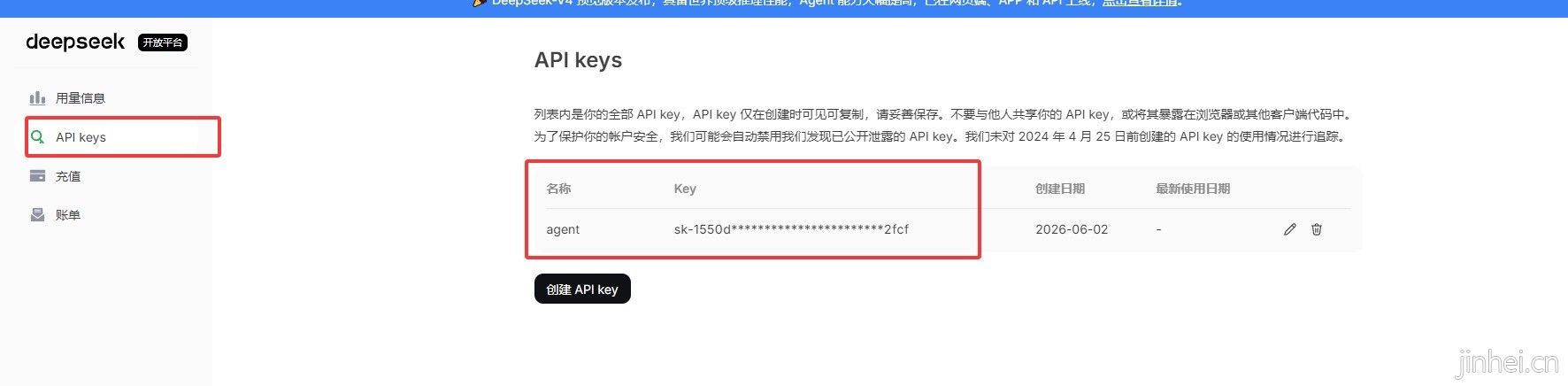
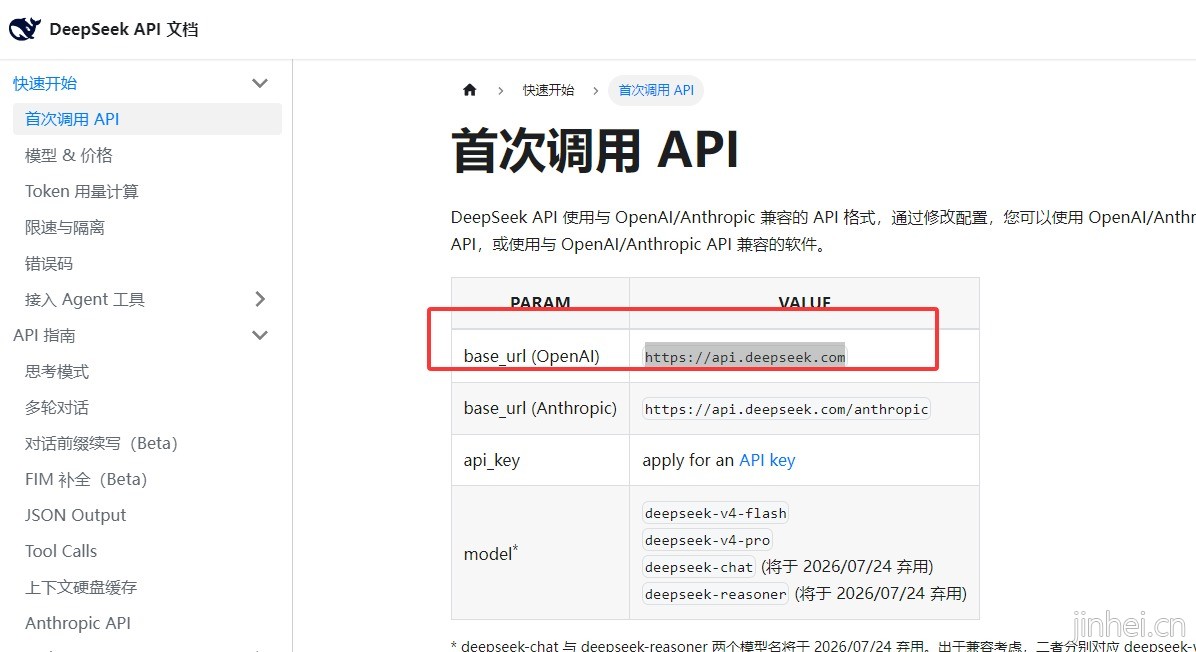
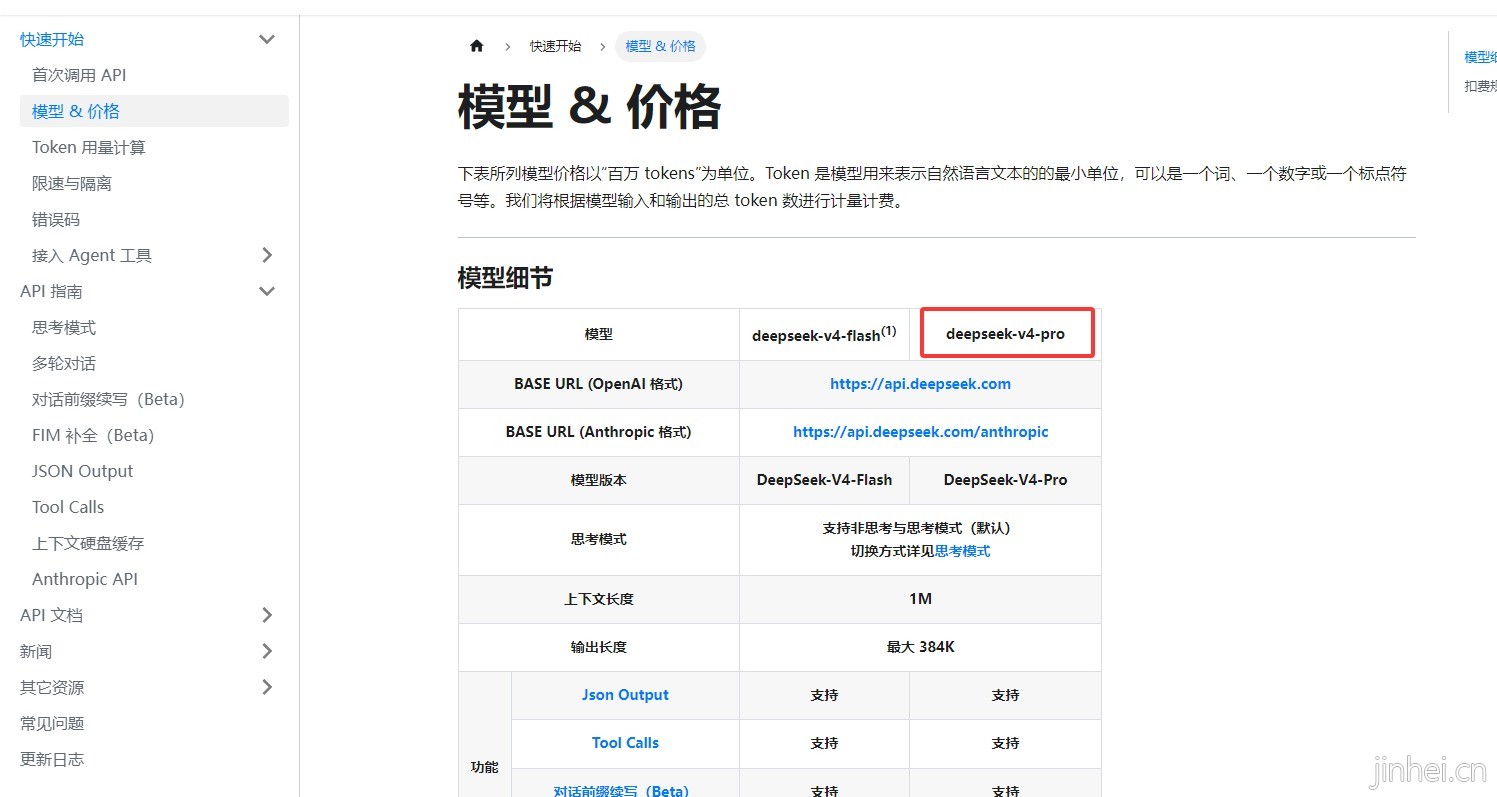
5,如果要切换成 deepseek模型 就把 AiConfig配置改下即可 https://platform.deepseek.com/
接口文档:https://api-docs.deepseek.com/zh-cn/
 aiagent.zip
(3.96 KB, 下载次数: 0, 售价: 40 金豆)
aiagent.zip
(3.96 KB, 下载次数: 0, 售价: 40 金豆)
|  |网站地图|Archiver|小黑屋|金黑网络
( 粤ICP备2021124338号-8 )
|网站地图|Archiver|小黑屋|金黑网络
( 粤ICP备2021124338号-8 )
